Over the course of developing our game, we created three worlds, all related to each other but with different building blocks, aesthetics and stories. You can find a short description of them below. Each world was developed in a GDD (Game Design Document, please see below for explanations regarding the GDDs).
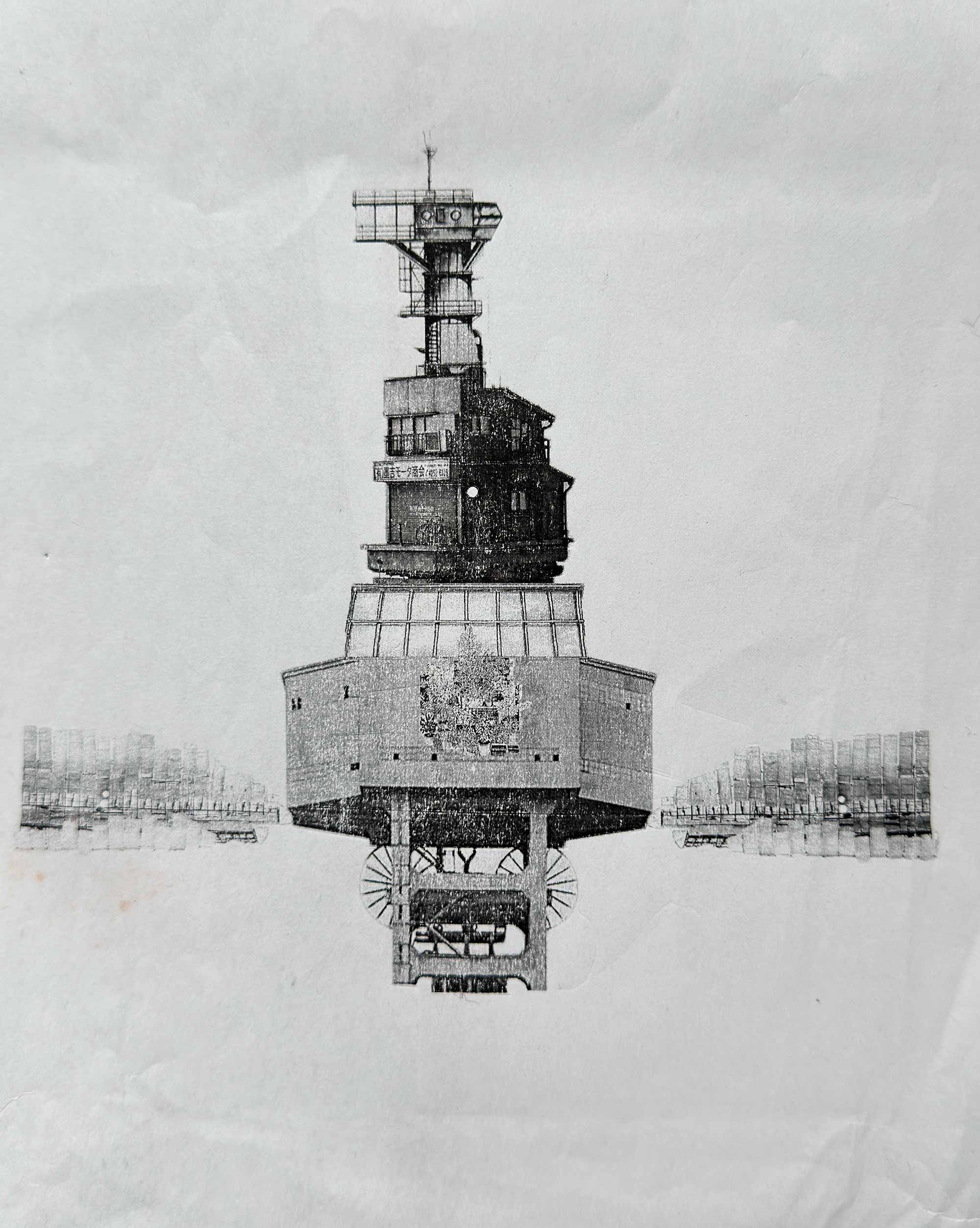
As filmmakers, we could imagine these worlds, but we did not have all the drawing, modelling and animation skills needed to build them from scratch. We found our way through existing models, photographs and collage. These were ways of approaching the places we had in our heads, and the materials we worked with also helped shape what those places became.
Now, four years later, we want to find out whether and how generative AI can help us find -and invent - these worlds anew. Since we both originally come from science, we decided to approach this through a series of structured experiments. At each stage, we want to define a question, document what we do and use our observations to decide what to try next.
Our judgements remain those of filmmakers. We are interested in the atmosphere of a place, the stories it might hold and the images we might want to make there. We are also interested in what happens when a model offers something we had not imagined.
This second blog post introduces our approach and our first experiment.
There are three basic questions we want to explore:
- What do different models offer when we try to describe the worlds we imagine? How can we shape these results, and which unexpected ideas do we want to follow?
- How do we find an entry point and develop a process that we, as filmmakers, can understand and shape?
- Which parts of this process can we deliberately control, and where do we want to leave room for discovery?
Experiment 1: Finding a starting point
1. Starting question
Which models do we want to work with? Which ones produce images that connect with the worlds we have in our heads, or even just vaguely remind us of them?
At this stage, we are looking for a starting point. An image does not have to reproduce our earlier work exactly to give us something worth exploring.
2. Material
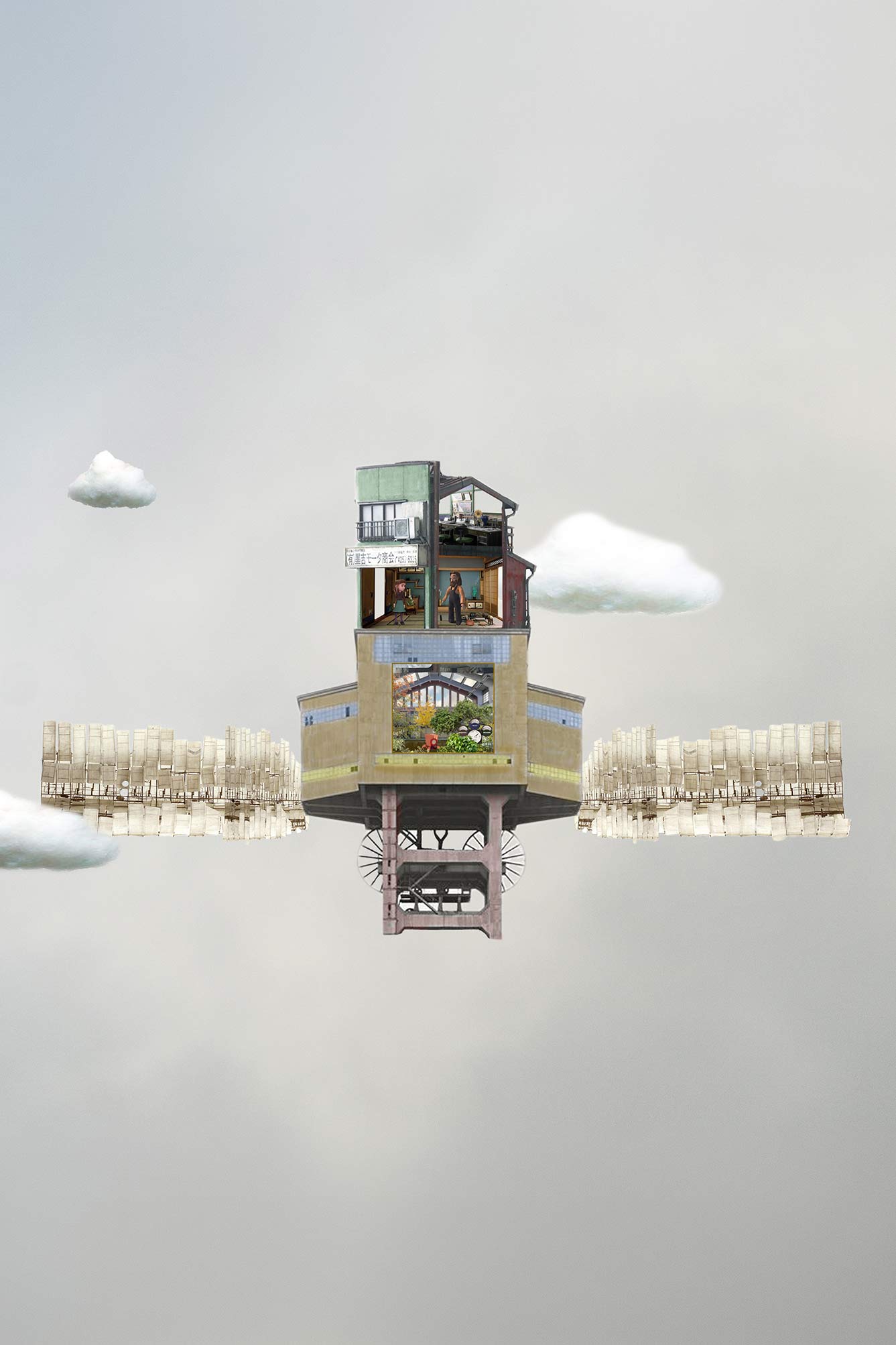
We took the cloud village from GDD2 as our starting point. It was made as a physical collage: I printed out photographs - my own and others available online - cut them out, assembled them, digitised the result and continued working on it in Photoshop.
Of the three worlds, the cloud village was the most abstract idea we developed.
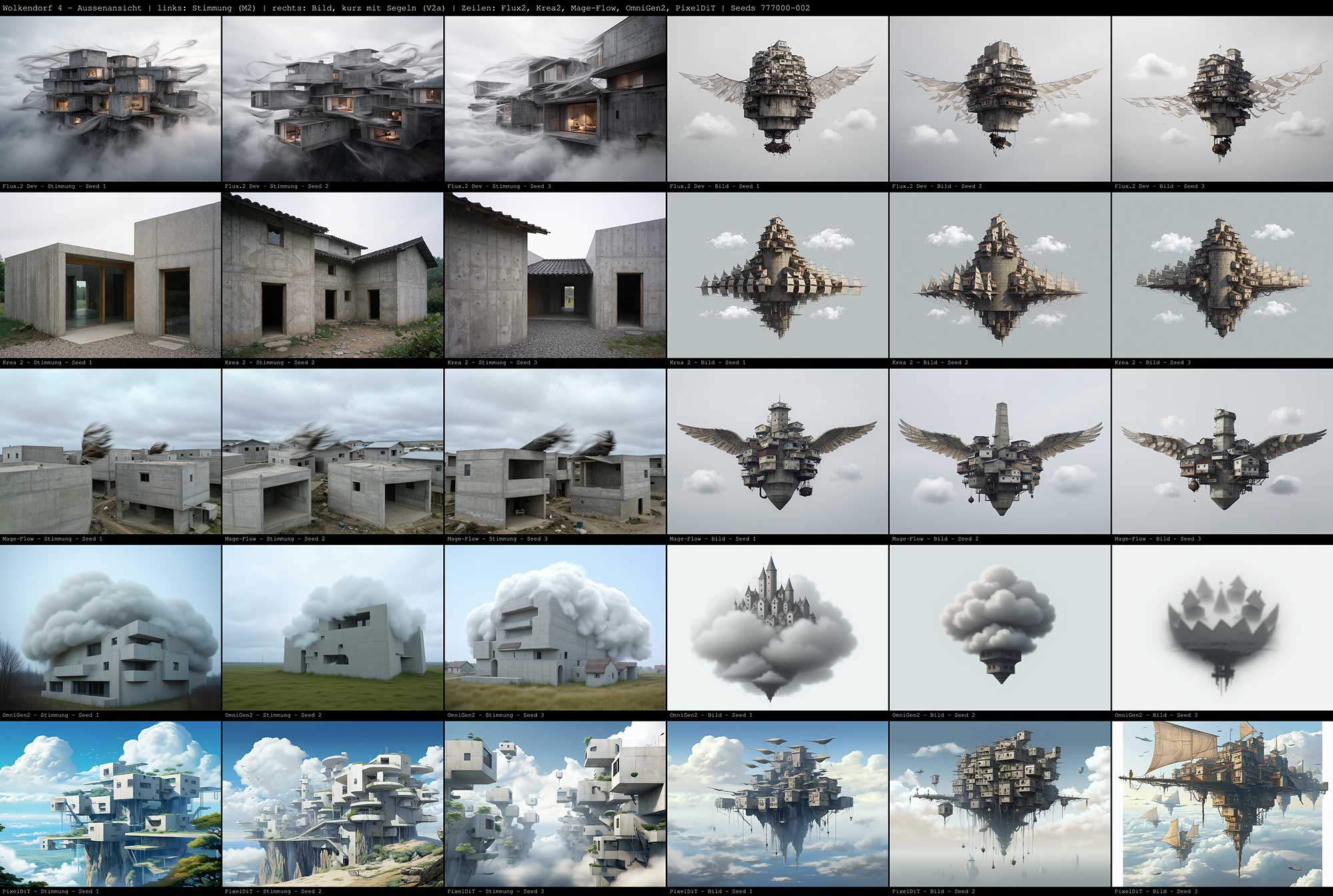
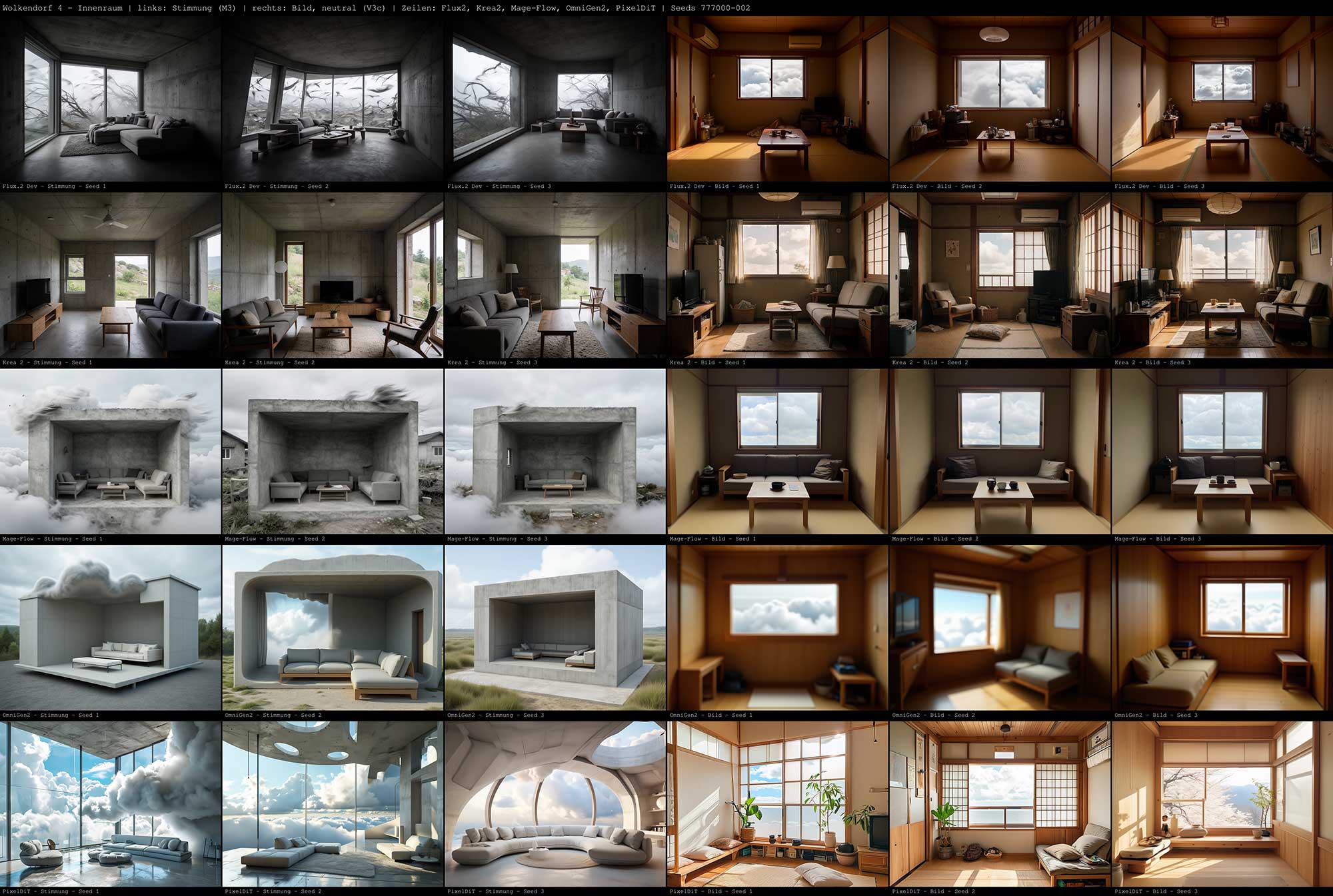
For the experiment, we chose four views or elements of this world: an overall view of the village, an exterior view of a building, an interior view of a room, and the garden inside the greenhouse.
3. Method
We use five models - FLUX.2 Dev, Krea 2 Turbo, Mage-Flow, OmniGen2 and PixelDiT - with text-to-image workflows in ComfyUI. For each of the four views, we work with three approaches to writing the prompt:
- Prompt A: A description of the mood in our own words, drawing on our memory and idea of the place.
- Prompt B: A broad description of the main elements in the existing image, generated with Claude Opus 5.
- Prompt C: A detailed description of the elements in the existing image, also generated with Claude Opus 5.
These are three different ways of translating a world into words. Prompt A begins with what we remember and feel about the place. Prompts B and C begin with what can be described in an existing image.
This means we are changing both the starting point of the description and its level of detail. The first experiment explores these approaches together; it does not tell us what effect prompt length alone has.
For Prompts A and B, we generate three seed variants per model and view. We keep the workflow settings fixed within each model for these comparisons. The settings can differ between models, so the results reflect the particular model and workflow used together.
4. Evaluation
To look at the results, we make contact sheets in ComfyUI. This reminds us of working with photographic contact sheets in the darkroom: seeing the individual frames together makes it easier to notice differences, repetitions and unexpected possibilities.
We make one sheet for each view. The images from Prompt A are on the left, and those from Prompt B are on the right. Each row represents a model, with three seed variants shown for each prompt. This brings all 30 images of a view together on one sheet.
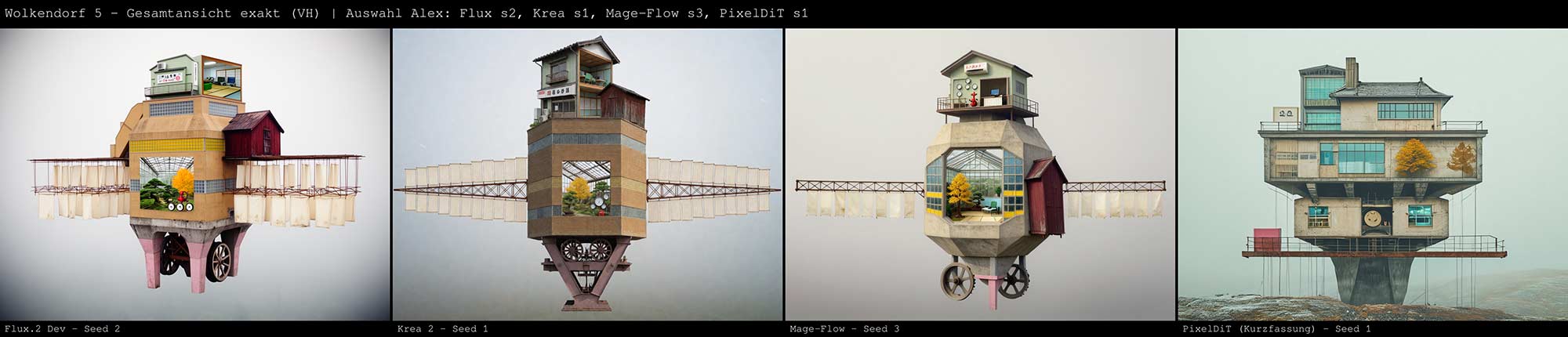
We then make a separate contact sheet with our selected results from Prompt C. This is a curated selection, so it serves a different purpose from the complete A and B sheets. It shows which images we want to pursue further; it cannot, by itself, tell us whether Prompt C works better.
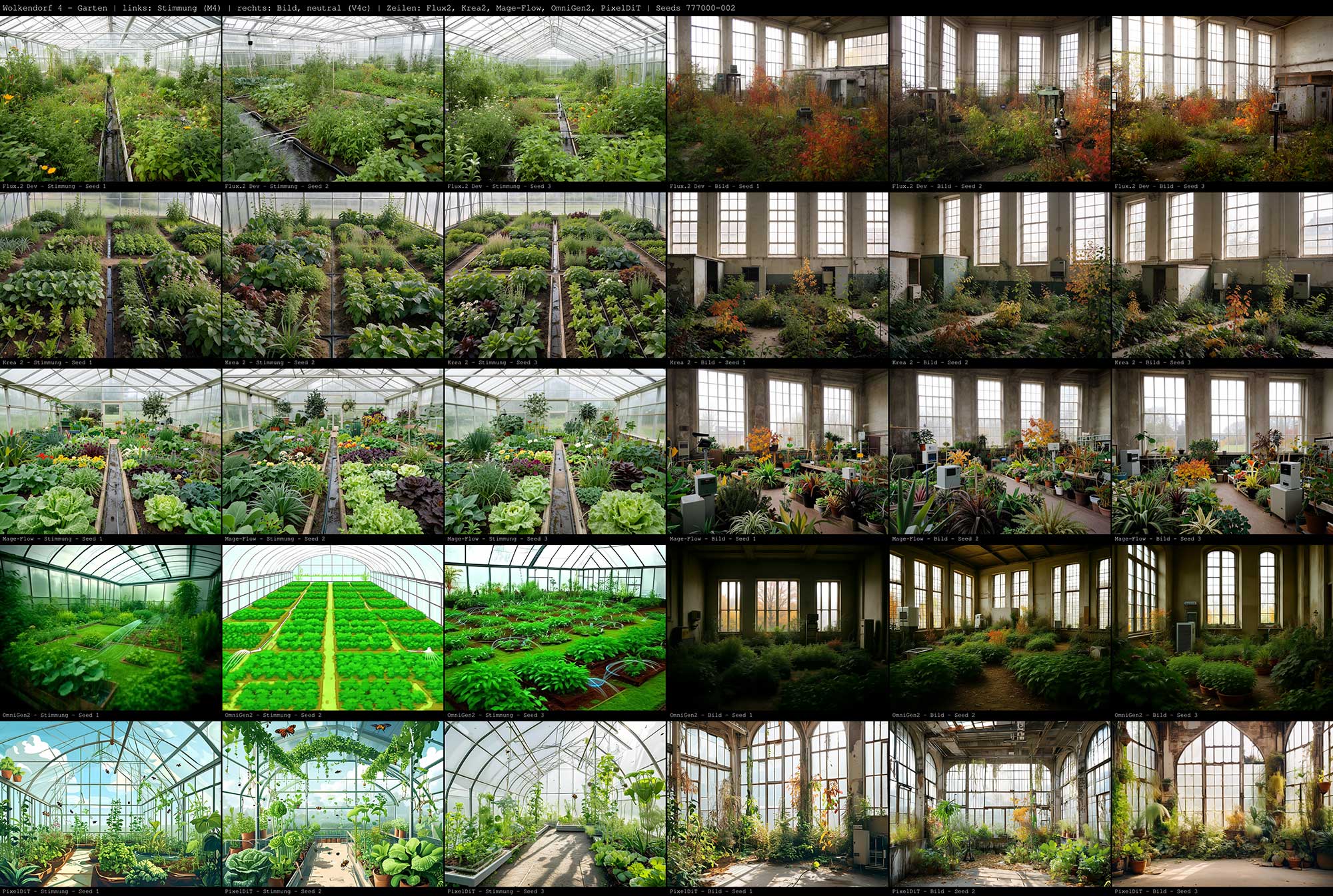
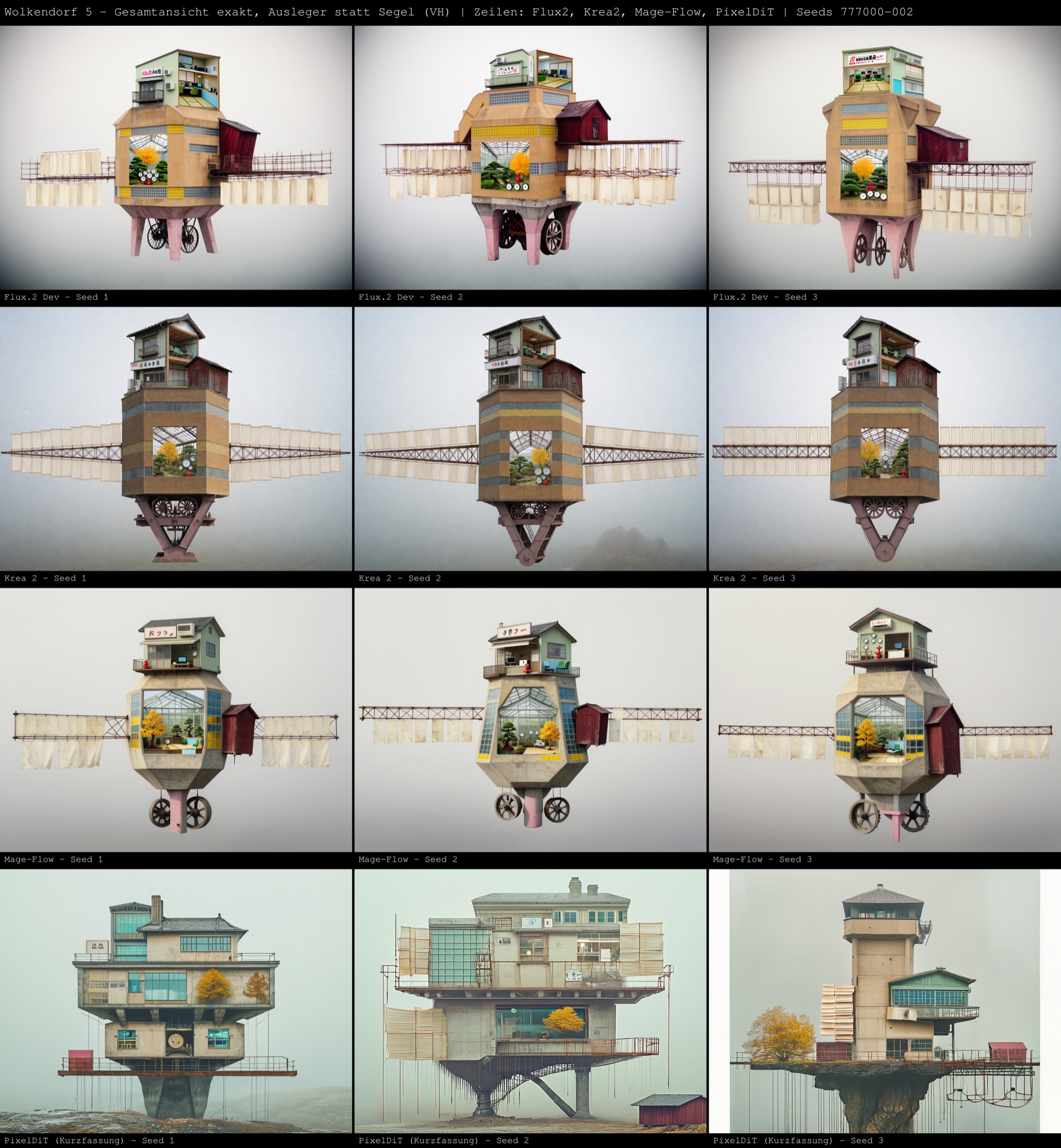
When looking at the images, we want to ask:
- Does the image convey the atmosphere we had in mind?
- Does the place feel as though someone could live there?
- Does it suggest a situation or a view we might want to film?
- Is there something unexpected that makes us reconsider our original idea?
Resemblance to the collage is one part of this, but it is not the only thing we are looking for. An image might look quite different and still feel close to what we wanted the place to express. Another might resemble the original while losing the feeling that mattered to us.
What we learn from these comparisons will help us decide which models, images and questions to take into the next experiment.
The three GDD worlds
GDD1 — “2 Grad Doeteberg”
A low-poly 3D world built using models from the Unity Asset Store. An artist friend drew a very detailed aerial view of the entire world: the village, the farm, the pond, and the surrounding woods and fields.
GDD2 — The collage world
A world assembled from collected images, first with paper and scissors, then in Photoshop. This is where the cloud village comes from.
GDD3 — Low-poly characters in a photorealistic world
The low-poly characters from GDD1 placed in a photorealistic world assembled in Blender and Photoshop, partly using 3D models created through photogrammetry.
Links
- FLUX.2
bfl.ai/blog/flux-2
bfl.ai/models/flux-2 - Krea 2 krea.ai/krea-2-open-source
- PixelDiT: Pixel Diffusion Transformers for Image Generation
arxiv.org/abs/2511.20645
github.com/NVlabs/PixelDiT - Mage-Flow huggingface.co/mage-flow-community/Mage-Flow
- OmniGen2 huggingface.co/OmniGen2/OmniGen2